
Digital door locks – often called smart locks or electronic door locks – have transformed home security in Singapore. As a homeowner who recently upgraded to a keyless system, I’ve researched and even tried several models myself. The result? Unparalleled convenience and peace of mind. So if you don’t want to fumble for physical keys anymore, try out some of the best digital door locks in Singapore!
Best digital door locks in Singapore 2025
1. Yew F11 + U4 Pro Digital Lock Bundle – All-in-One Security Solution
| Reasons to Buy | Reasons to Avoid |
|
|
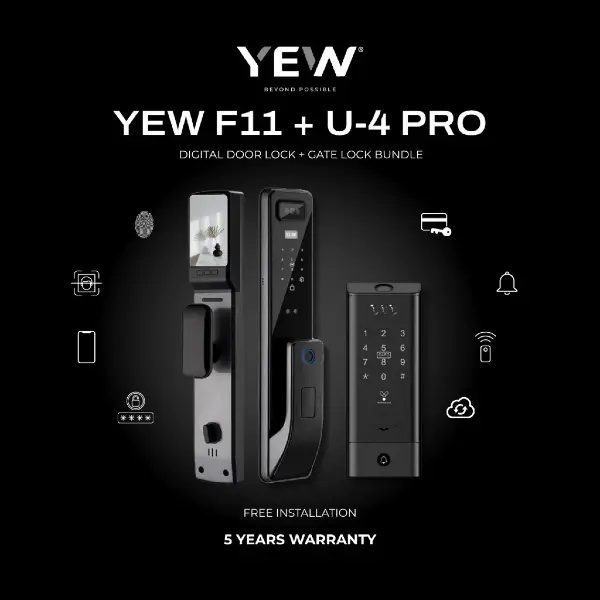
The Yew F11 is a feature-packed digital door lock with 3D facial recognition, integrated video doorbell, and a two-way intercom camera, paired with the Elite U4 Pro gate lock for synchronised dual-lock security. This Yew digital lock bundle provides multiple access modes – from fingerprint and PIN code to RFID keycard, mobile app, and a traditional key – giving users flexibility and convenience.
Notably, the F11’s built-in camera supports face unlock in under a second and lets you see and talk to visitors via the Tuya smart app. The F11 and U4 Pro locks can be synced through the DualSync system, allowing for automatic unlocking of both via the app for seamless entry. Despite its advanced technology, Yew includes free professional installation (required for warranty) and backs the bundle with an impressive 5-year local on-site warranty for peace of mind
| Specification | Details |
| Price | ≈ $700 (with U4 Pro digital gate lock bundle) |
| Unlock Methods | Facial recognition, Fingerprint, PIN code, RFID card, Smartphone App (Wi-Fi), Mechanical key |
| Special Features | Integrated HD video viewer & two-way intercom (built-in doorbell/camera) for live monitoring |
| Power & Backup | Rechargeable battery pack (USB-C emergency power port available), emergency keys |
| Installation | Free on-site installation & setup (professional installation included) |
2. Philips EasyKey 9300 – Premium Push-Pull Smart Lock
| Reasons to Buy | Reasons to Avoid |
|
|
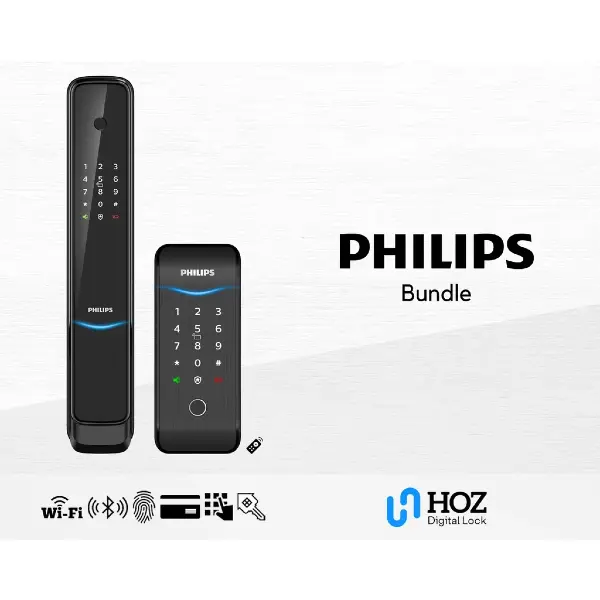
The Philips EasyKey 9300 is a stylish push-pull lock packed with smart features, ideal for modern condos. Philips EasyKey 9300 stands out as a best smart lock Singapore homeowners love for its blend of style and security. In my experience, the fingerprint sensor is fast and reliable – even with slightly damp fingers, it recognised my thumb effortlessly. The lock integrates with the Philips EasyKey smartphone app, which means you can receive real-time door alerts and even unlock remotely over Wi-Fi.
Installation was straightforward on my HDB door, and voice guidance helped during setup. Overall, the Philips 9300 offers a top-of-the-line smart locking experience for those willing to invest a bit more for advanced features and a refined design.
| Specification | Details |
| Price | ≈ $1,500 |
| Unlock Methods | Fingerprint, PIN code, RFID card, Physical key, Bluetooth, Wi-Fi app |
| Design & Fit | Push-pull mortise lock; fits most HDB/condo doors (38–60 mm thickness). Fire-rated 60 min. |
| Smart Integration | Philips EasyKey app (remote unlock, user management, real-time notifications) |
| Power & Backup | 4 × AA batteries (6–12 months life) with emergency micro-USB power port; low-battery alert |
3. PRISM+ Sentinel & Sentry – Feature-Rich Sync Bundle
| Reasons to Buy | Reasons to Avoid |
|
|
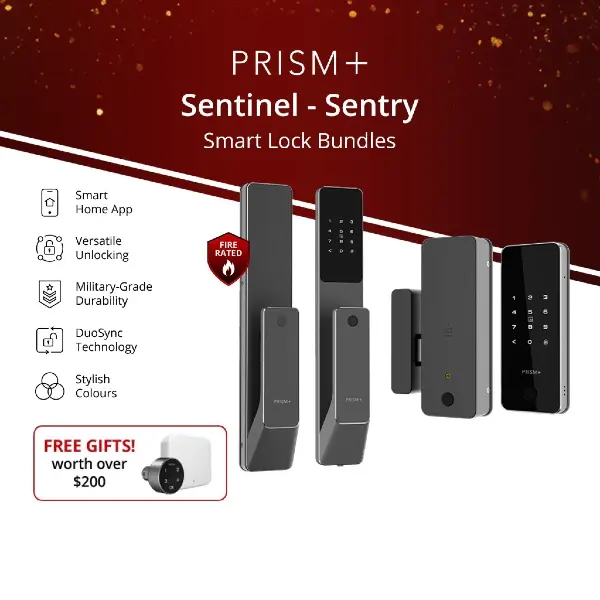
PRISM+, a homegrown Singapore brand best known for its electronics, has expanded into smart home security with the Sentinel smart door lock and Sentry gate lock. The Sentinel door lock features a sleek and slim aluminium body, and supports multiple unlocking methods. Paired with it, the Sentry gate lock adds an extra layer of protection at the metal gate, with the Pro version offering 3D facial recognition for hands-free unlocking at the gate.
Powered by rechargeable batteries lasting up to nine months, the system also includes lifestyle-friendly extras like a remote control, optional smart add-ons and a 2-year local warranty for peace of mind. But what truly sets this apart is PRISM+’s DuoSync technology, which allows both the gate and door to unlock together, streamlining daily routines for flats with separate entrances.
| Specification | Details |
| Price | ≈ $900 – $1,500 |
| Unlock Methods | Fingerprint scanner, Touch PIN keypad, RFID cards & stickers, Mobile App (Bluetooth; Wi-Fi via gateway), Physical key override, 3D Facial unlock on Sentry Pro |
| Notable Features | DuoSync (unlocking door or gate unlocks the other simultaneously) |
| Power Supply | Rechargeable Li-ion battery (USB-C charging); ~4–9 months per charge depending on usage (face recognition uses more) |
4. Yale YDM7220 BioSecure Digital Lock – Reliable Security with Hygienic Touch
| Reasons to Buy | Reasons to Avoid |
|
|
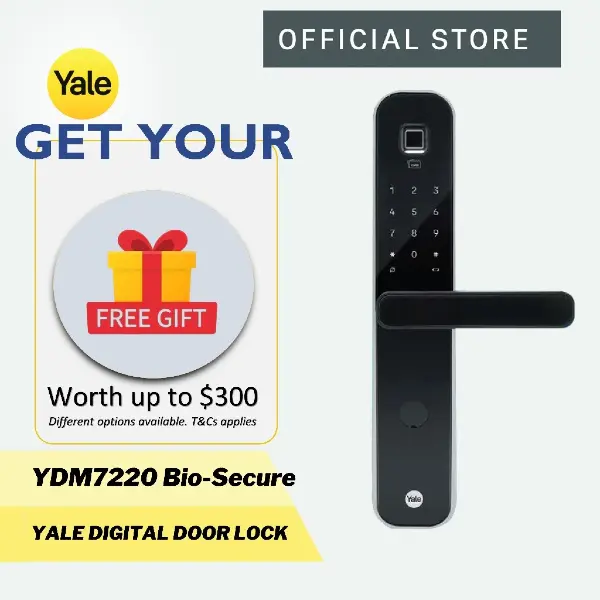
The Yale YDM7220 is a premium digital lock known for its robust security and the unique BioSecure™ handle coating that inhibits bacteria growth. During my hands-on trial, the YDM7220 impressed me with its solid build and smooth operation – the motorised lock mechanism is quiet yet strong.
What I appreciate is Yale’s attention to safety: features like a fake PIN code function to throw off prying eyes and a tamper alarm that rings if someone tries to force the lock are built in. Do note that to unlock full smart features (remote access via the Yale app or integration with voice assistants), you’ll need to purchase the Yale Connect Wi-Fi bridge separately. Overall, the Yale YDM7220 is a smart digital door lock that balances advanced tech with the reliability of a heritage security brand – ideal for those who want a trusted name securing their front door.
| Specification | Details |
| Price | ≈ $1,500 – $2,000 |
| Unlock Methods | Fingerprint (BioSecure), PIN code, RFID card, Physical key, Bluetooth app (with add-on module) |
| Special Feature | BioSecure™ antimicrobial handle (reduces bacteria by ~99% in 2 hours); Tamper & break-in alarm; Fake PIN anti-peep input |
| Smart Integration | Yale Access App via Bluetooth (default) or Wi-Fi (with Yale Connect bridge); supports remote unlock and activity logs when connected |
| Battery & Backup | 4 × AA batteries (~12 months); 9V external battery terminal for emergency power; Low-battery indicator & alert beeps |
5. Kaadas K9-5W Digital Door Lock – Flexible Access for Families
| Reasons to Buy | Reasons to Avoid |
|
|
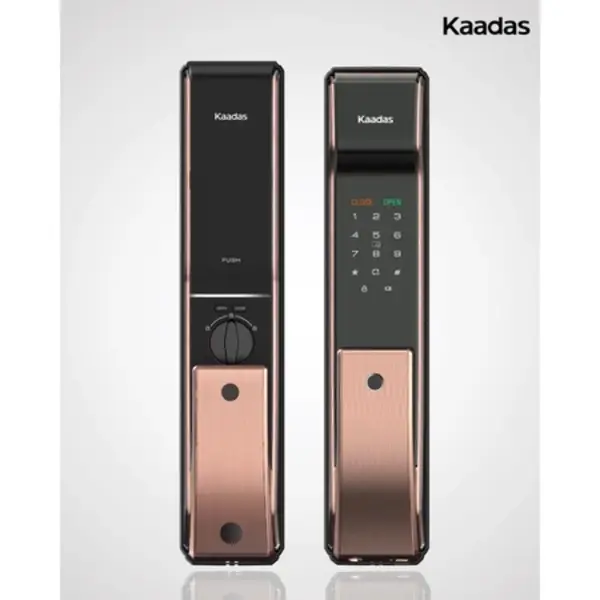
The Kaadas K9-5W is a versatile digital mortise lock that earned its spot as a top pick for many families. With six access methods – fingerprint, PIN, RFID card, mechanical key, Bluetooth, and Wi-Fi connectivity – it truly covers all bases. I installed the Kaadas K9-5W on my door and was impressed by its push-pull handle, which makes entering or exiting with hands full extremely easy (a gentle push or pull opens the latch). And the lock’s fingerprint reader is embedded near the handle grip and unlocks the door in under a second!
Through the Kaadas mobile app (via a Wi-Fi bridge), I could generate one-time PIN codes for guests and view access logs in real time. It also features an auto-lock function and a fake PIN code feature to confuse anyone watching you enter your code – I don’t have to worry about wandering eyes.
| Specification | Details |
| Price | ≈ $850 |
| Unlock Methods | Fingerprint, PIN code, RFID card, Mechanical key, Bluetooth (app), Wi-Fi (app/remote) |
| Construction | Sturdy zinc alloy build; Push-Pull handle design for easy access; fits door thickness 40–60 mm |
| App Features | Kaadas App (via Wi-Fi): One-time PIN generation, Real-time access logs, Remote unlock |
| Battery Life | 4 × AA batteries (~12 months under normal use); low-battery alarm and emergency USB power port for backup |
6. Solity GEA1000BK Digital Lock – High-Speed Secure Access
| Reasons to Buy | Reasons to Avoid |
|
|
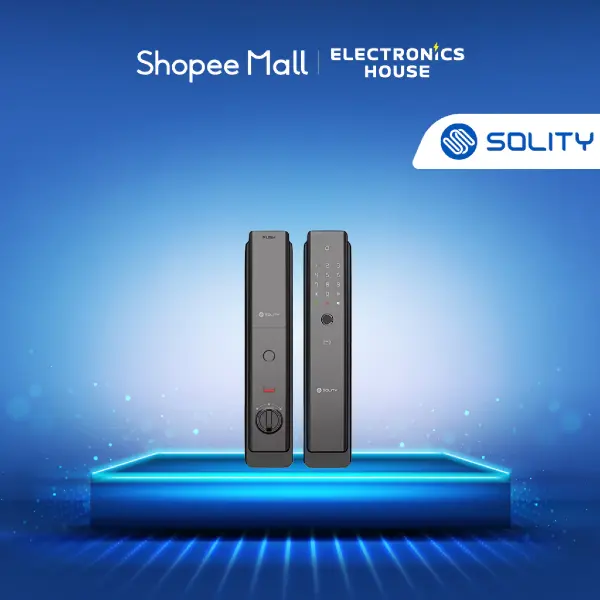
The Solity GEA-1000BK is a premium Korean-made smart door lock that emphasises speed, security, and smart connectivity. It features an ultra-fast 0.9-second fingerprint recognition system – as you push or pull the door, your fingerprint is read almost instantly for fluid entry.
Uniquely, the GEA1000BK has a dual-drive mortise mechanism with three reinforced deadbolts, providing strong resistance against forced entry and high safety for the main door. It’s also fire-rated for up to 60 minutes, suitable for HDB fire doors. While primarily a door lock, the GEA-1000BK can sync with a compatible Solity gate lock – if paired with a Solity gate unit, you can unlock both simultaneously for a complete door/gate solution.
| Specification | Details |
| Price | ≈ $750 – $1,000 (mid-range) |
| Unlock Methods | Fingerprint (up to 100 users), PIN code, RFID card/tag, Solity App (Wi-Fi built-in), Mechanical key |
| Notable Features | ~0.9 seconds fingerprint recognition (one-step push-pull opening), Dual lock sync supported |
| Security Functions | Dual-drive motorised mortise with 3 deadbolts for stronger forced-entry resistance; auto-locking latch, break-in alarm, and fire detection alarm included |
| Power & Backup | 8× AA batteries (1.5V) with low-battery alert; emergency power port for 9V battery if batteries are drained. |
7. Igloohome Mortise 2+ – Smart Lock with Offline PIN Magic
| Reasons to Buy | Reasons to Avoid |
|
|
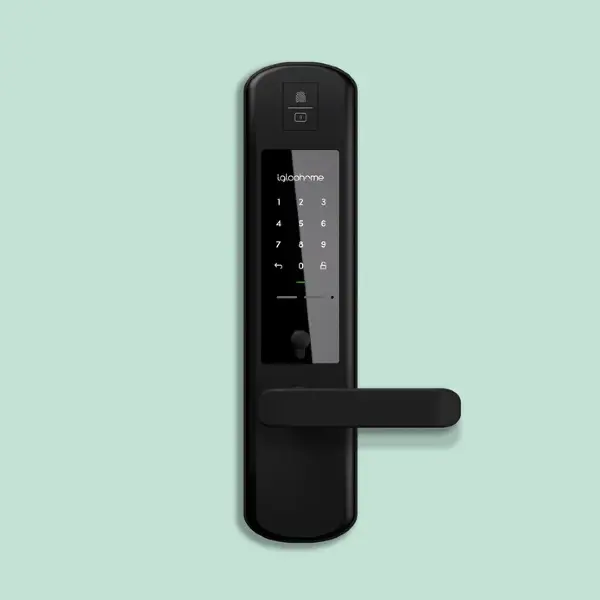
The Igloohome Mortise 2+ is a locally designed digital lock that’s perfect for homeowners who value flexibility without relying on Wi-Fi. The standout feature is Igloohome’s proprietary AlgoPIN™ technology, which allows you to create time-sensitive PIN codes for guests even when the lock is offline. I’ve used this when renting out my spare room – I could generate a PIN remotely and WhatsApp it to my guest, all without the lock itself being connected to the internet.
The Mortise 2+ also has built-in tamper alarms and will sound if someone tries to pry it off or if too many wrong PINs are entered. One thing to note: there’s no live monitoring unless you’re in Bluetooth range, as this lock trades remote Wi-Fi features for better battery life and security. I
| Specification | Details |
| Price | ≈ $680 – $899 |
| Unlock Methods | Fingerprint, PIN code, Bluetooth (App), Physical key |
| Offline PIN Tech | AlgoPIN™ allows one-time or duration PIN codes without internet |
| Sharing Features | Igloohome app (Bluetooth): Send PINs or Bluetooth keys to guests; view access logs when within range |
| Power Supply | 4 × AA batteries (~10 months depending on usage); Micro-USB emergency power input; low-battery alert beeps |
How much does a digital lock cost in Singapore?
Digital lock prices in Singapore typically depend on the brand, security features and smart capabilities. Entry-level digital locks with basic PIN or card access start from around $300, while high-end smart locks with biometric features, Wi-Fi connectivity or facial recognition can exceed $1,200.
For most HDB and condo homeowners, $500-$800 is the sweet spot, offering reliable security, multiple unlocking methods and good build quality. Installation costs (usually $50–$150) may apply if not bundled, and it’s also worth factoring in local warranty and after-sales support, which can make a big difference in long-term value.
| Type of Digital Lock | Typical Price Range | Key Features | Best For |
| Basic electronic lock | $300–$450 | PIN or RFID card access | Budget-conscious homeowners |
| Mid-range smart lock | $500–$800 | Fingerprint, PIN, app access | Most HDB & condo homes |
| Premium smart lock | $900–$1,200+ | Facial recognition, Wi-Fi, gate bundles | Smart home enthusiasts |
| Rim lock (no-frills) | $300–$400 | Simple digital access | Older doors or rentals |
What is the lifespan of a digital lock?
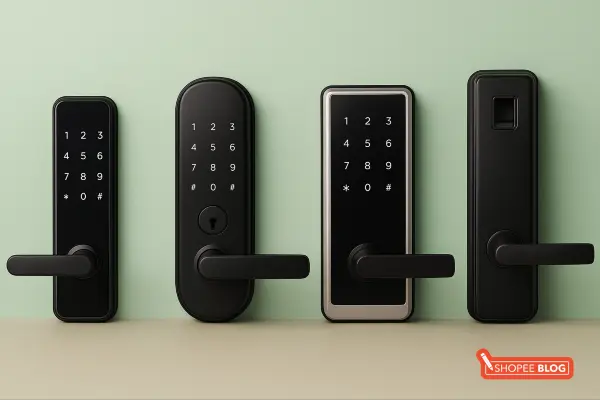
A well-maintained digital lock typically lasts 5 to 10 years, with many quality models designed to be just as durable as traditional locks. Most manufacturers test their locks for tens of thousands of locking and unlocking cycles, making them suitable for daily home use.
Key factors that affect lifespan:
- Build quality: Reputable brands and solid materials last longer
- Usage frequency: Busy main doors wear faster than rarely used doors
- Environment: Outdoor gate locks may wear quicker if not weather-rated
- Maintenance: Timely battery changes and regular cleaning help extend lifespan
With proper care, you can extend its life by:
- Replacing batteries promptly
- Keeping fingerprint sensors clean
- Avoiding excessive force on handles
- Choosing weather-resistant models for gates
In general, 5–7 years is common, and with good upkeep, some digital locks can last over a decade. Choosing brands that offer spare parts and local support can further extend usability.
What happens if the battery dies in a smart lock?
Don’t worry – you won’t be permanently locked out. While electronic unlocking stops, smart locks are designed with built-in backup access and early warnings to prevent major inconvenience.
Common failsafes include:
- Physical key override: A hidden keyhole allows manual unlocking even with a dead battery.
Emergency power supply: External contacts (9V battery or USB port) let you temporarily power the lock to enter your PIN or fingerprint. - Low-battery alerts: Beeping sounds or indicator lights warn you well before the battery is fully drained, giving ample time to replace it.
Even if the battery dies while you’re out, these backup methods will still get you inside. Once new batteries are installed, all stored PINs and fingerprints remain unchanged. In short, a flat digital lock battery is a small inconvenience – not a lockout disaster.
Can digital door locks be hacked?
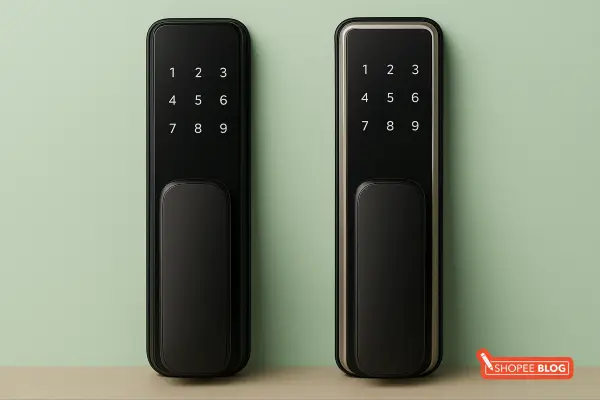
In theory, any device with electronics can be hacked, but in practice, digital door locks are extremely difficult to compromise if they are from reputable brands. These locks use secure encryption and authentication protocols to prevent unauthorised access.
For example, smart locks that connect to Wi-Fi or Bluetooth employ encryption (like AES 128/256-bit) so that any communication between your phone and the lock is scrambled and cannot be easily intercepted. It’s vanishingly unlikely that an average home’s digital lock would be targeted by high-level hackers. That said, there are a few considerations:
- Online attacks: If a lock is Wi-Fi enabled, a hacker would theoretically need to breach your home network and then the lock’s security – a tall order, especially if you keep your Wi-Fi secure and the lock’s firmware updated. Manufacturers like Yale regularly update firmware to patch any vulnerabilities and often include two-factor authentication on their apps.
- Electronic picking: Some attempts involve specialised tools or techniques to spoof RFID cards or try to “brute-force” PINs. However, digital locks have lockout mechanisms – e.g., they disable input after several wrong PIN attempts, or they use two-factor verification (fingerprint + PIN) to mitigate this risk.
What are the disadvantages of digital locks?
While digital locks offer a lot of convenience, it’s important to be aware of their drawbacks too. The main disadvantages include higher initial costs, dependence on power, and potential technical vulnerabilities – though these can be managed.
| Feature | Digital Locks | Manual (Mechanical) Locks |
| Cost | Higher upfront cost (hundreds of dollars) | Lower cost (often under $100) |
| Key Convenience | Keyless options (PIN, fingerprint, app) | Physical keys only |
| Security Features | Advanced (biometrics, access logs, remote control) | Basic mechanical security |
| Power Dependency | Requires batteries/electricity | No power needed |
| Maintenance | Battery changes + firmware updates | Minimal – occasional lubrication |
| Learning Curve | Moderate – setup & tech features | Easy – traditional use |
| Vulnerability Type | Rare cyber/hacking risk (low in practice) | Lock picking/bumping risk |
| Backup Access | Physical key & emergency power options | Physical key only |
| Smart Integration | Yes – apps, notifications, logs | No smart features |
| Wear & Tear | Electronic components may fail over time | Simple parts, easy to replace |
Come home smarter with the best digital door locks in Singapore
Switching to a digital door lock has been a game-changer in my own home – it married convenience with security in a way traditional locks couldn’t. Whichever you choose, you’ll be joining many others in Singapore who enjoy the peace of mind and modern lifestyle that smart locks bring. For more home improvement tips, check out our other guides, like the best blankets in Singapore and a handy guide on how to choose a mattress to complete your cosy and secure home setup.